

Turn any image into a detailed AI prompt
Your AI prompt will appear here. Upload an image and click Generate Prompt to start.
Image to Prompt Generator - Turn Any Image Into an AI Prompt
Our free image to prompt generator reverse-engineers any picture into a detailed, ready-to-use AI prompt. Upload a photo or artwork and instantly get a structured text prompt for Midjourney, Stable Diffusion, FLUX, DALL-E, and Nano Banana 2.1 — no login, unlimited use.
Instant Reverse Prompt
Upload any image and the AI analyzes it in seconds, returning a structured, ready-to-use text prompt you can paste straight into your favorite AI image generator.
Multi-Model Ready
Get prompts tuned for Midjourney, Stable Diffusion, FLUX, DALL-E, and Nano Banana 2.1, capturing subject, style, lighting, and composition so results are easy to reproduce.
100% Free, No Login
Use the image to prompt generator unlimited times with no signup. Drag and drop JPG, PNG, or WebP files up to 10MB and copy your prompt with one click.
How the Image to Prompt Generator Works
Going from image to prompt takes just a few seconds and three simple steps — no prompt engineering experience required.
Upload an image or drop a JPG, PNG, or WebP file up to 10MB
The AI scans the subject, style, lighting, composition, and camera angle
A precise, descriptive text prompt is generated within seconds
Copy, edit, and paste the prompt into your favorite AI image tool

Prompts Optimized for Every AI Model
Different models read prompts differently. This image to prompt generator adapts the wording so your prompt performs well wherever you use it.
Midjourney: artistic prompts that pair well with parameters like --ar and --v
Stable Diffusion & FLUX: detail-rich prompts with keyword weighting and stacking
DALL-E and Nano Banana 2.1: natural-language descriptions that read clearly
Turn one image into multiple model-specific prompts in a single click

Image to Prompt vs. Image Caption
A caption summarizes what an image shows. A prompt tells an AI how to recreate it — and that difference is what makes this tool useful for creators.
Captions produce short summaries, alt text, or plain descriptions
Prompts produce generation instructions that reproduce the scene
This tool focuses on reproducible elements: style, lighting, and composition
Ideal for recreating styles, studying prompt structure, and remixing work
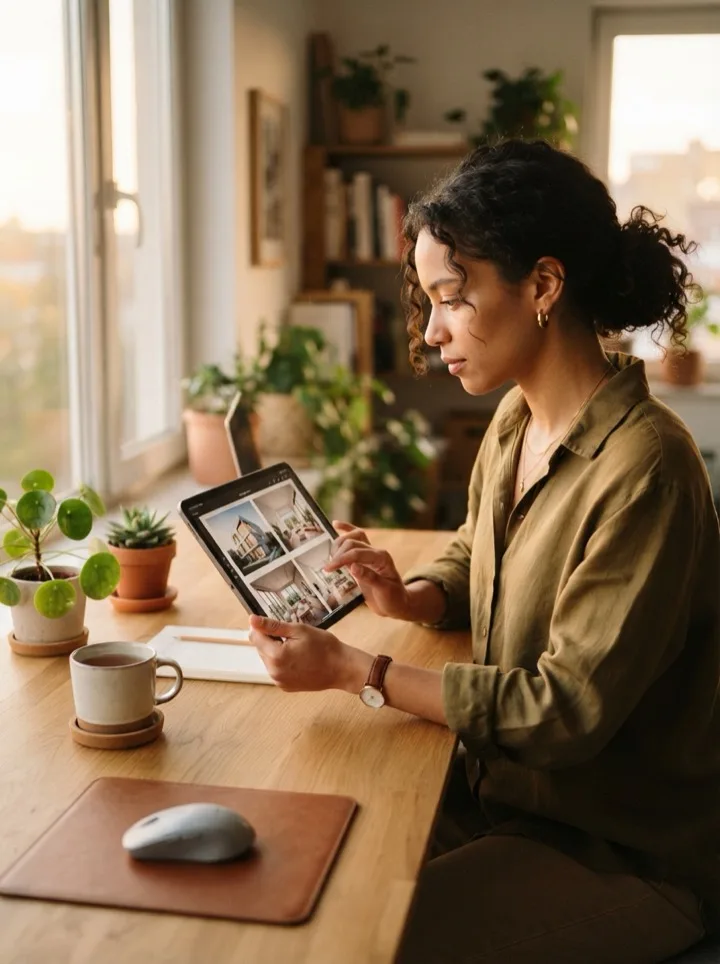
Who Uses Image to Prompt
From hobbyists to professionals, anyone working with AI images can move faster by starting from a reference picture instead of a blank prompt box.
AI artists recreating a favorite style or reference image
Designers and marketers producing on-brand visual prompts fast
Prompt learners reverse-engineering how great AI art is written
Content creators batching prompts for blogs, social, and video

Frequently Asked Questions About Image to Prompt
What does an image prompt mean?
An image prompt is the text instruction you give an AI image model to generate a picture. This tool works in reverse: it looks at an existing image and writes the prompt that could recreate it.
Can I use images as prompts?
Yes. Upload any image and the generator returns a detailed text prompt you can paste directly into Midjourney, Stable Diffusion, FLUX, DALL-E, or Nano Banana 2.1 to create similar results.
How do I generate an AI prompt from an image?
Upload an image or paste a picture, choose a detail level, and click Generate Prompt. In a few seconds you get a ready-to-use prompt that you can copy and edit.
Is the image to prompt generator free?
Yes. The image to prompt generator is completely free to use with no login required, so you can convert as many images to prompts as you like.
Is it possible to generate a prompt based on an image?
Absolutely. AI vision models can analyze the subject, style, lighting, and composition of an image and translate them into a descriptive prompt optimized for text-to-image tools.
Which AI image models does it support?
The generated prompts work with all major models, including Midjourney, Stable Diffusion, FLUX, DALL-E, and Nano Banana 2.1. You can adjust the wording to fit each model's style.
Turn Your Images Into Prompts Now
Upload a photo or artwork and get a detailed, model-ready AI prompt in seconds — free, unlimited, and no login required.
Choose a Claude Motion Credit Plan
Use credits to create and refine animated explainers, then export the results for your presentations, updates, and product stories.
Free
A starter balance for testing the Claude Motion animation workflow
- 16 starter credits for new accounts
- Try lower-cost generation settings; available task count varies by project
- Create, preview, and edit a short animation
Great for exploring!
Basic
For regular explainers, animated charts, and walkthroughs
- 500 credits per month
- Use credits across supported animation and media workflows
- Up to 50 animation generations per month
- Edit text, numbers, scenes, and timing
- Real-time preview, sharing, and MP4 export
- Export to Runway for continued editing
✓ Cancel anytime — no questions asked
Pro
For higher-volume animation creation and iteration
- 5000 credits per month
- Use credits across supported animation and media workflows
- Up to 500 animation generations per month
- Edit text, numbers, scenes, and timing
- Real-time preview, sharing, and MP4 export
- Export to Runway for continued editing
✓ Cancel anytime — no questions asked
Animation generation credit costs
With a reference video, credits are charged on output duration plus the total reference-video duration.